


Phone Tracker: Phone Locator
4.11.66K Reviews
App Specs
- Version
- 1.3.5
- Updated On
- License
- Free
- Downloads
- 10,000,000+
- Developer
- QR Code Scanner.
- Categories
- Maps & Navigation
- Platform
- Android
Screenshots

 Analysis by AppCompare
If you've ever found yourself misplacing your phone or worrying about where your kids are, you might have wished for a magical gadget that could keep track of everything. Well, say hello to Phone Tracker: Phone Locator. I've taken the plunge and tried it out, and here's the lowdown on this super handy app.
Getting Started with Phone Tracker
First things first, downloading Phone Tracker: Phone Locator is a breeze. Available on both Android and iOS, it’s as simple as a couple of taps, and you’re ready to dive into the world of location tracking. The app is designed to be user-friendly, so even if you’re not tech-savvy, you’ll have no problem navigating it.
Once you’ve got it installed, the app asks for the usual permissions. This might feel a bit intrusive at first, but it’s necessary for the GPS and tracking features to work smoothly. You’ll be up and running in no time, and trust me, it’s worth it!
Features that Make Life Easier
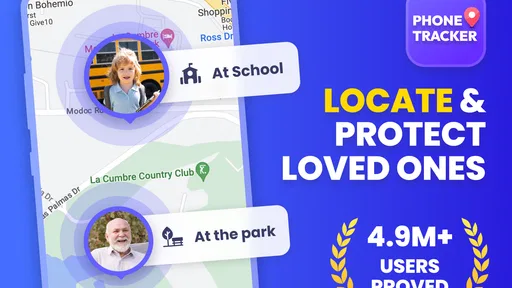
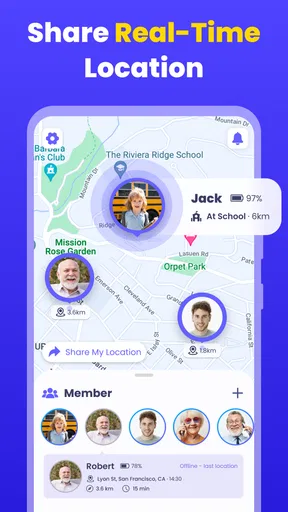
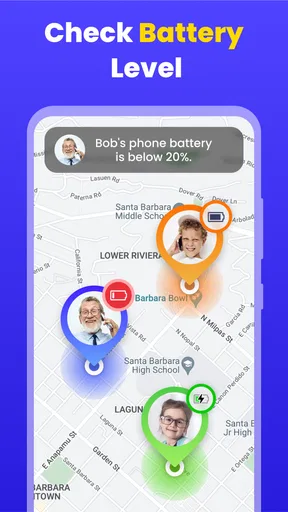
Now, let’s talk features because this app is packed with them. The primary function is, of course, locating your phone or another device, and it does this with pinpoint accuracy. The map interface is clean and intuitive, showing the location in real-time. It’s perfect if you’ve left your phone at a café or need to ensure your kids made it to school on time.
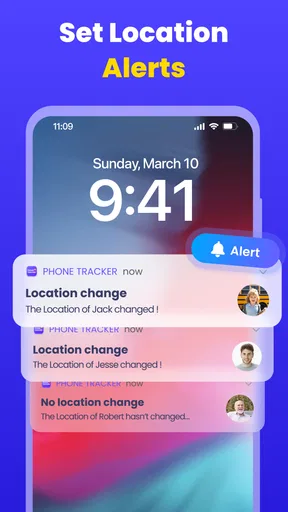
Another fantastic feature is the ability to create geo-fences. Basically, you can set up virtual boundaries and get notified when a device enters or leaves these areas. It’s like having an invisible guard that alerts you when your kid skips out on their after-school activities.
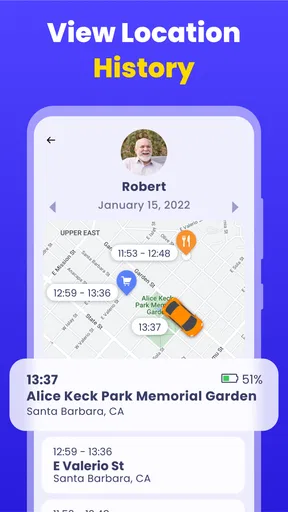
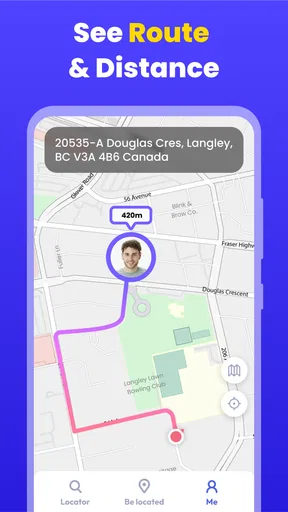
But wait, there’s more! The app also lets you view location history. This means you can look back and see where a device has been over a specific period. It’s great for tracking travel routes or just seeing if your usual coffee shop routine is getting a bit too routine.
Privacy Concerns and Security
With all this tracking power, you might be wondering about privacy. The developers have built-in some robust security features, ensuring that your data is safe. You can control who sees your location, and everything is encrypted. It’s reassuring to know that while the app is watching out for you, it’s also looking after your personal info.
Worth Reading Before You Choose

Flipboard Shows What News Apps Must Do Beyond the Feed

Switching to Android Auto Means Rethinking Your Driving Routine

Google Calendar Makes a Crowded Week Easier to Manage

Ludo King Makes the Most of the Minutes Between Plans

Baby Panda World Brings Quick Play to Modern Phones, but Its Game Library Feels Busy

ESPN’s Live Game View Makes Following Close Games Easier
However, it’s important to use these features responsibly. Sharing location data can be sensitive, so make sure you’re only connecting with trusted contacts. The app provides ample settings to keep things secure, so take advantage of them!
The User Experience
In terms of the app’s interface, it’s sleek and straightforward. There aren’t any unnecessary frills, just the essentials laid out in a way that makes sense. For those who love a bit of customization, there are some options to tweak the interface to your liking. It’s a nice touch that adds a personal feel to the app.
Performance-wise, Phone Tracker: Phone Locator runs smoothly. I didn’t encounter any lag or crashes during my testing, which is a big plus when you’re relying on it to keep track of important stuff. Battery usage is also optimized, so you won’t need to worry about it draining your device’s juice.
Final Thoughts
So, is Phone Tracker: Phone Locator worth your time? Absolutely. Whether you’re prone to losing your phone or just want peace of mind knowing where your loved ones are, this app delivers. It’s practical, reliable, and easy to use. Plus, the added security features make it a trustworthy choice in the world of location tracking apps.
If you’re ready to take control and never worry about the whereabouts of your phone again, give this app a try. You might just find it becomes one of those must-have tools that you wonder how you ever lived without.
Pros
- Accurate real-time location tracking.
- User-friendly interface for easy navigation.
- Low battery consumption during use.
- Supports both Android and iOS platforms.
- Secure data encryption for privacy.
Cons
- Requires constant internet connection.
- Limited features in free version.
- Potential privacy concerns for some users.
- Requires permission access to contacts.
- May drain battery faster with prolonged use.
FAQs for Phone Tracker: Phone Locator
How accurate is Phone Tracker: Phone Locator in real-time tracking?
Phone Tracker: Phone Locator uses GPS technology to provide precise real-time location updates. While it generally offers high accuracy, factors like GPS signal strength, device settings, and environmental conditions can impact its precision. Users typically find the location accuracy to be within a few meters, making it reliable for most tracking needs.
Does Phone Tracker: Phone Locator work without an internet connection?
The app primarily relies on an internet connection to transmit location data. However, it can still collect GPS data offline and update the location once a connection is restored. For seamless real-time tracking, a stable internet connection is recommended, but you can still use the app in areas with intermittent connectivity.
Is Phone Tracker: Phone Locator safe and secure to use?
Yes, Phone Tracker: Phone Locator prioritizes user privacy and security. The app uses encrypted data transmission to protect user information. Users control who can access their location data, and no information is shared without explicit consent. It's crucial to ensure that only trusted individuals have access to your location information.
Can I track multiple devices with Phone Tracker: Phone Locator?
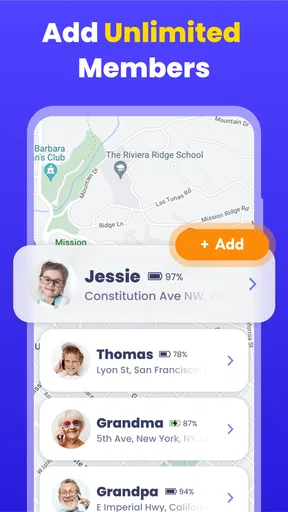
Yes, Phone Tracker: Phone Locator allows tracking of multiple devices simultaneously. Users can add several devices to their account, making it ideal for families or teams who need to stay connected. Each device must have the app installed and permissions granted to share location information with the account holder.
What devices are compatible with Phone Tracker: Phone Locator?
Phone Tracker: Phone Locator is compatible with both Android and iOS devices. It supports a wide range of smartphones and tablets running on recent operating system versions. Users should ensure their device meets the app's minimum system requirements for optimal performance and functionality.


